
Nobody knows your apps are locked
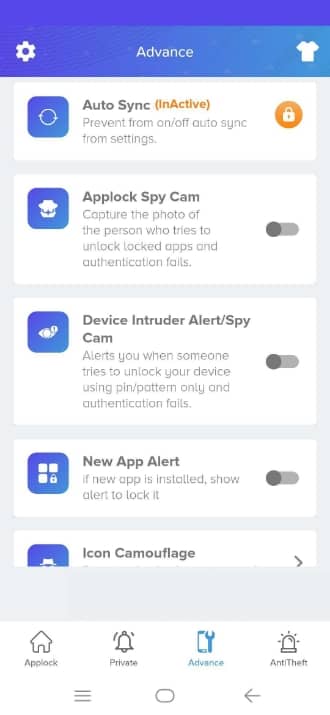
Icon Camouflage changes App Lock's icon and name on your home screen to look like a Calculator, Compass, Music or Contacts app. Someone looking through your phone won't find an app locker to try to disable.

Four disguises
Calculator, Compass, Music or Contacts. The name under the icon changes too.
Notifications match
App Lock's own notification icons follow the disguise, so they don't give it away.
Harder to remove
Pair it with Lock Uninstalling Apps so App Lock can't be uninstalled without your lock.
How to turn it on
- Open App Lock and go to the Advance tab.
- Tap Icon Camouflage.
- Choose Calculator, Compass, Music or Contacts.
- Find App Lock on your home screen under its new name.
Questions
Will the disguised app still open App Lock?
Yes. Tapping the Calculator (or whichever icon you chose) opens App Lock, which asks for your lock first.
Can I change back to the normal icon?
Yes. Open Icon Camouflage again and pick the App Lock icon.
More from App Lock
Intruder selfie
App Lock silently takes a front-camera photo when someone enters the wrong PIN, pattern or knock code on a locked app. See who tried, and when.
Learn more →Fake crash screen
Fake Cover shows a convincing “has stopped working” error instead of a lock screen, so snoopers give up. Long-press OK to reveal your real lock.
Learn more →Notification privacy
Hide message previews from locked apps and keep a private, on-device copy of notifications you receive, even after the sender deletes the message.
Learn more →